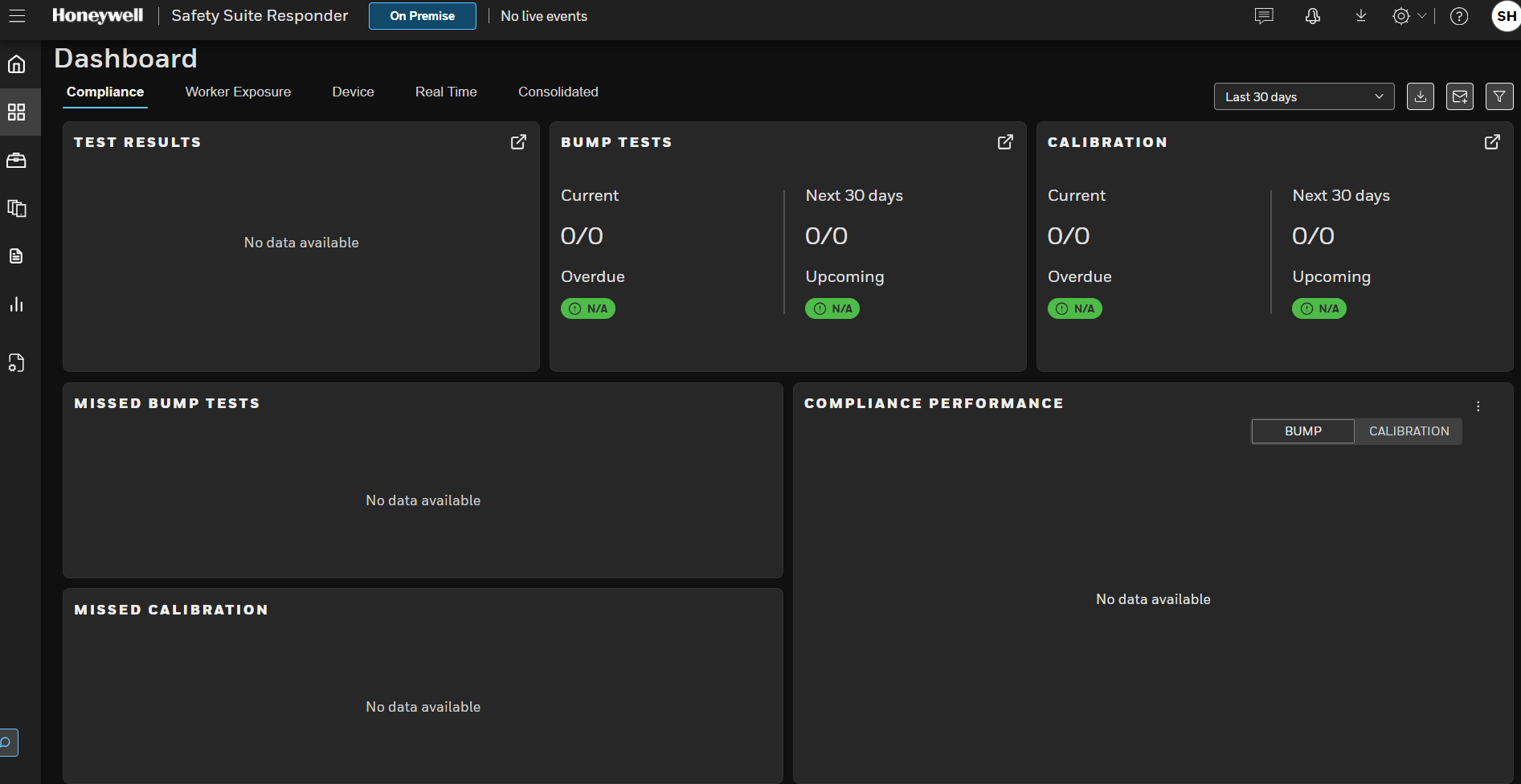
I work in gas detection, and one of the common quuestion I get is do I need a fleet management software? when I should get it and when it is not worth it, here is my honest opinion.
Gas detector fleet management software is the system that tracks every portable gas detector you own, who has it, when it was last bump tested and calibrated, what alarms it recorded, and whether it is safe to hand to a worker right now.
Is Gas Detector Fleet Management Software Necessity or Luxury?
For a small, single-site team with a handful of detectors, it is a convenience. Once your fleet, your number of sites, or your audit exposure grows to the point where paper or spreadsheet records start to slip, it stops being a luxury and becomes a necessity, because the real product is proof that each instrument was verified before use.
What Fleet Management Software Actually Does?
Most platforms cover the same core jobs.
Device inventory and assignment
know which detector is with which worker or crew.
Bump test and calibration records
Captured automatically from docking stations, so nobody retypes results.
Alarm and exposure history
Gas events, peak readings and exposure data per device and per person.
Maintenance alerts
sensor life, firmware updates, low calibration gas, overdue tests.
Reporting and audit trails
Exportable records you can hand to an auditor or investigator.
Live monitoring (on some platforms)
Real-time readings, man-down and panic alerts, and worker location.
The last item is where products diverge most, and it is worth deciding early whether you need it.
Is It Necessary or a Luxury?
The honest answer depends on what you are protecting against.
Legally
The software itself is rarely mandated. OSHA does not have a standard that spells out bump testing for portable monitors, but its guidance bulletin for direct-reading portable gas monitors recommends documented procedures and records verifying maintenance and calibration.
It also relays the International Safety Equipment Association (ISEA) position that a bump test or calibration check should be done before each day’s use, following the manufacturer’s instructions. If an instrument fails, it should be fully calibrated (or removed from service) before use.
Practically
That daily verification, multiplied by every detector, every day, every site, is what breaks manual systems.
Missed tests and missing paperwork are what turn a routine audit, or worse, an incident investigation, into a problem. Software does not make the detector more accurate. It makes the evidence reliable.
Necessary
When the cost of a missing or unreliable record is high (regulated industries, contractors, multi-site operations, confined space entry programs).
A luxury
when you have a small fleet, one site, one supervisor who touches every detector, and low audit exposure.
Seven Signs You Have Outgrown Spreadsheets
If three or more of these sound familiar, treat fleet management software as necessary:
1. You cannot say in under a minute which detectors are overdue for a bump test or calibration.
2. Test records live in more than one place (dock downloads, paper logs, someone’s laptop).
3. Detectors circulate between crewsand nobody reliably owns them.
4. You operate multiple sites or shifts with different supervisors.
5. You face customer or regulatory audits that ask for records on short notice.
6. Calibration gas and sensor replacements are handled reactively.
7. After an alarm event you struggle to reconstruct who was exposed to what, and when.
Rule of thumb (a practical guideline, not a regulation)
Under roughly 10 detectors at one site, disciplined manual records can work; between about 10 and 25 is a gray zone where a docking station with local software is often enough; beyond that, or with multiple sites, centralized software usually pays for itself in time and audit readiness.
When You Can Safely Do Without It
You can reasonably skip a cloud platform if you have the following.
– You have a small fleet at a single site.
– Every detector is tested on an automatic docking station that already stores results.
– One trained person owns the program and reviews records regularly.
– No customer or regulator requires centralized reporting.
Even then, keep records in a consistent, backed-up format. The goal is the same either way.
What to Look For Before You Buy
-Automation of bump tests and calibration records(docking station integration).
– Multi-site management and role-based access.
– Licensing model: per device, per user, per site, or subscription bundled with hardware. Ask what happens to cost as you add users.
– Reporting and export:audit-ready reports, scheduled emails, data export.
– Alerting: overdue tests, sensor failures, firmware updates.
– Live monitoring and lone worker features, if your work needs them.
– Mobile access for onboarding and assignment in the field.
– Data migration if you are replacing older software.
– Security certifications for cloud platforms.
– Trial availability so you can test with your own fleet.
How to Choose the right Gas Detector Fleet Management Software
Start with your detectors
If you are locked into a brand, evaluate that brand’s software first.
Decide if you need live monitoring
Compliance-only programs and lone worker programs have different needs and budgets.
Count users
Per-user licensing can quietly become the largest cost as more supervisors need access.
Trial with real work
Run a pilot on your actual fleet, docks and reports, and have the person who prepares audits judge the reports.
Check migration and exit paths
Things happens, you need to check migration and exit paths before committing.
Frequently Asked Questions
Is gas detector fleet management software required by law?
Generally no. OSHA guidance recommends documented calibration and maintenance procedures, and ISEA recommends verifying instruments before each day’s use.
Software is a way to meet that expectation reliably, not a legal requirement itself. Check the rules that apply in your country and industry.
How many gas detectors do I need before software makes sense?
There is no official number. As a practical guide, software starts to pay off past roughly 10 to 25 detectors, with multiple sites, or when audits are frequent.
Can I use one vendor’s software with another vendor’s detectors?
Usually not. Most platforms are built around their own hardware, so confirm compatibility before you buy.
What is the difference between a bump test and a calibration?
A bump test briefly exposes the detector to gas to confirm the sensors respond and alarms work. A calibration adjusts the instrument’s readings against a known gas concentration. If a detector fails a bump test, it needs a full calibration before further use.
Read: What is calibration in gas detection?
Is cloud software safe for sensitive safety data?
Look for documented security practices such as ISO 27001 certification, role-based access and encryption, and ask vendors how data is hosted and retained.
Does the software replace a trained safety person?
No. It automates records and surfaces problems, but someone still has to act on overdue tests, failed detectors and alarm trends.
Conclusion
Fleet management software for gas detectors is a luxury only while your program is small enough for one attentive person to keep perfect records.
As soon as detectors, sites or audits multiply, it becomes the cheapest way to make daily verification provable.
Pick the platform that matches your detectors, test it on your own fleet, and judge it by how quickly it answers one question is every instrument in my hands safe to use today, and can I prove it?
I use safety suite for my fleet management, you can check it at Honeywell oficial site.